
Getting Started
This guide walks you through running Simple IoT locally in under 5 minutes.
Prerequisites
- Docker 24+ with Docker Compose v2
- 2 GB free RAM
- Ports
5010,1883,8083,9999,5432,8181available
1. Clone the repository
git clone https://github.com/dingdaoyi/simple-iot.git
cd simple-iot
2. Start the stack
cp .env.example .env       # adjust passwords if you want
./deploy.sh deploy
This brings up the full stack via Docker Compose:
| Service | Port | Purpose |
|---|---|---|
iot-server | 5010 | Spring Boot REST + MQTT broker |
iot-web | 80 | Vue 3 admin UI (Nginx) |
iot-postgres | 5432 | PostgreSQL 16 (metadata) |
influxdb | 8181 | InfluxDB 3 (telemetry) |
rustfs | 9000 | S3-compatible storage |
modbus-sim | 5020 | Modbus simulator (demo) |
3. Log in
Open http://localhost and use the default account:
username: admin
password: 123456
Change this password before exposing the stack to a public network.
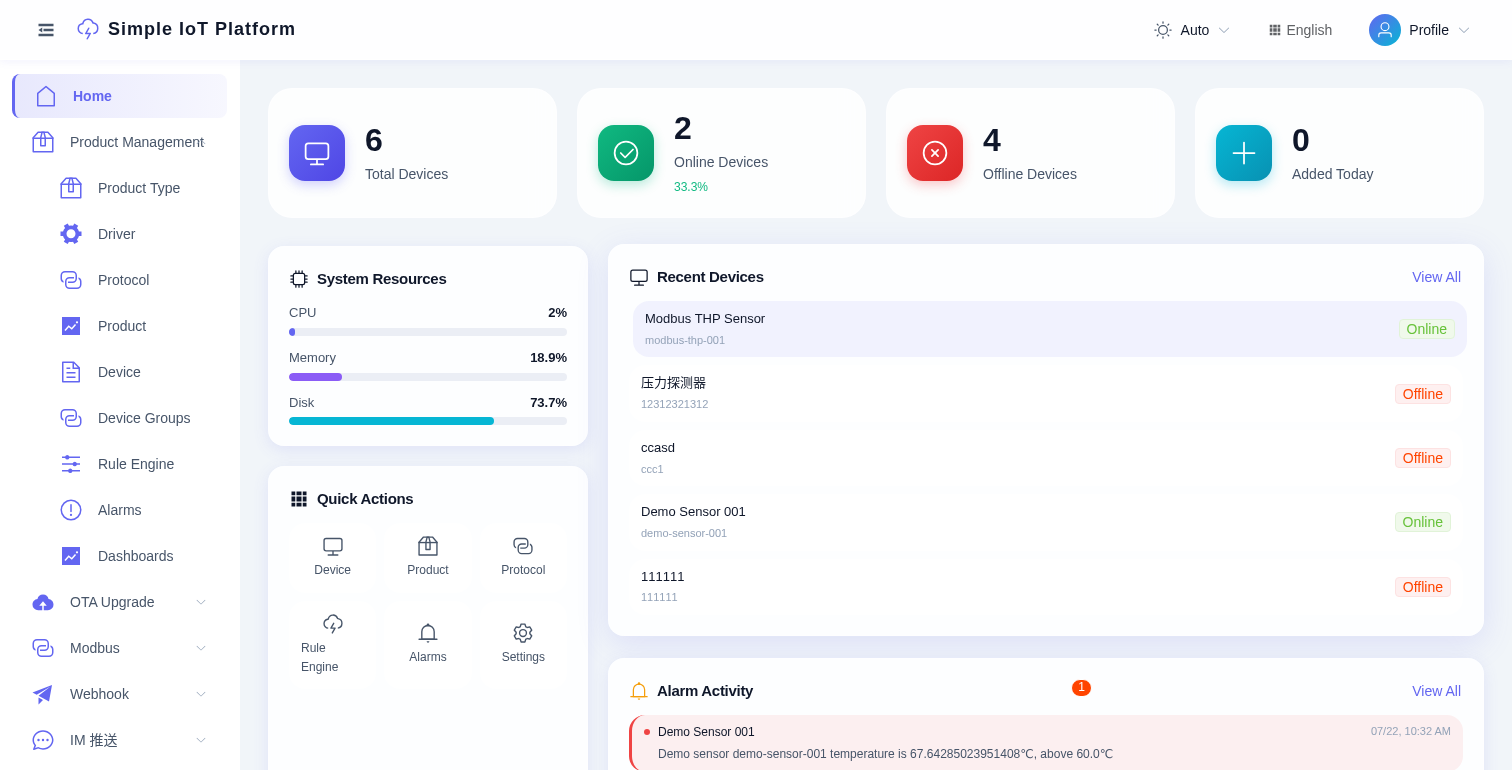
After login you'll see the dashboard with system resources, quick actions, recent devices, and alarm activity:
4. Try live telemetry
The Docker stack seeds a demo sensor and a Modbus simulator by default. You can publish a sample via MQTT:
mosquitto_pub -h localhost -p 1883 \
  -i simple_demo-sensor-001 \
  -u demo-sensor-001 \
  -P demo-secret \
  -t simpleiot/pro/demo-smart-sensor \
  -m '{"temperature":72.5,"humidity":43,"voltage":220.8,"online":true,"mode":"auto"}'
This goes through the demo JavaScript protocol, stores telemetry and triggers the seeded high-temperature alarm rule. For more details, see MQTT Quick Test.
The Modbus simulator (modbus-thp-001) polls automatically - you can see its data on the dashboard without any manual action. See Modbus TCP for config details.
5. Onboard your first device
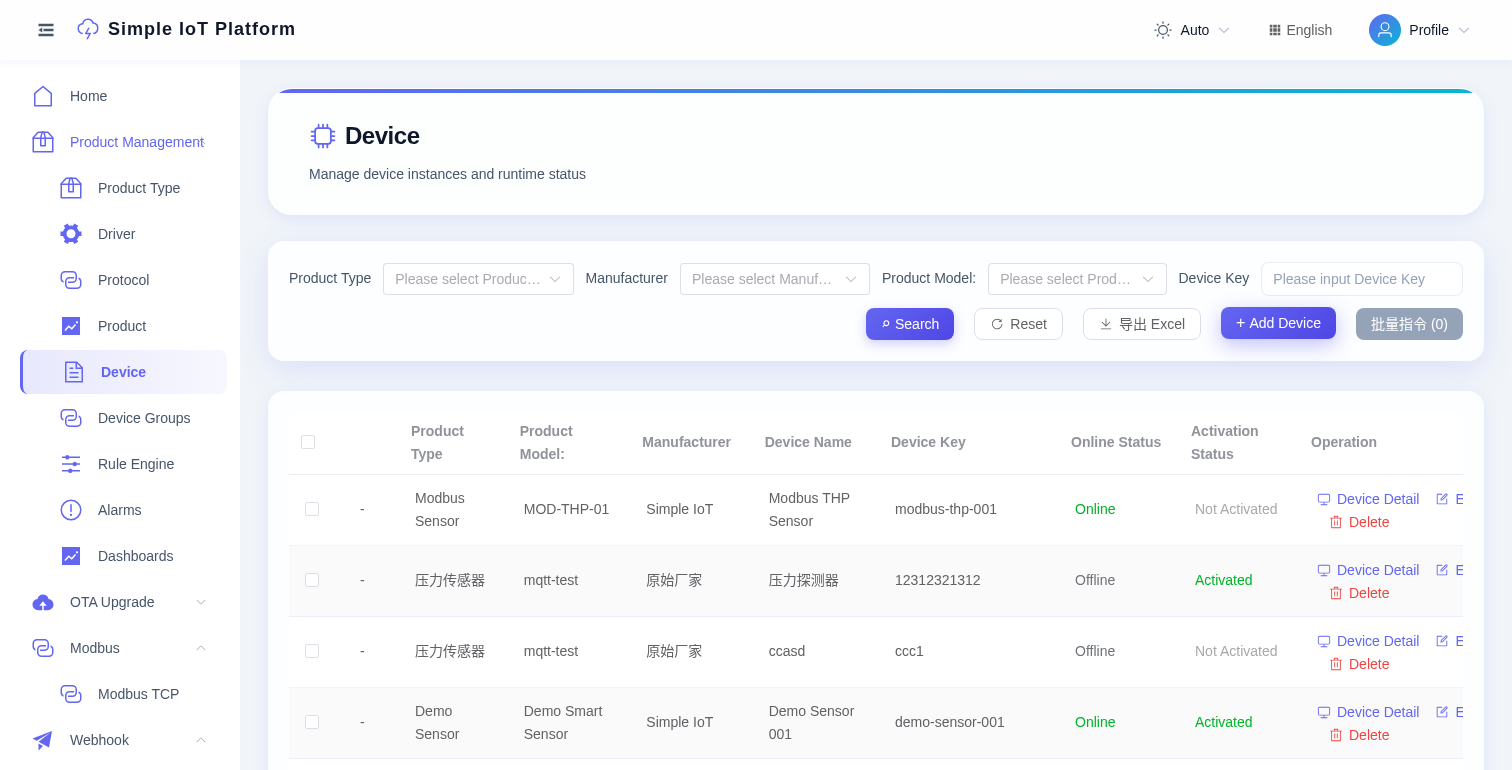
- Go to Product Management -> Product Type -> click + New to define a product type.
- Go to Product Management -> Product -> create a product, choose
MQTTas protocol, define TSL properties (e.g.temperature,humidity). - Go to Product Management -> Device -> add a device under that product. Note its
deviceKeyandsecret. - Connect with any MQTT client to
tcp://<host>:1883usingclientId=simple_{deviceKey}, username={deviceKey}, password={deviceSecret}. - Watch live telemetry stream into the Devices -> Telemetry tab.
6. Build a rule
- Go to Product Management -> Rule Engine -> + New rule chain.
- Drag an Input node, connect it to a Filter, then to an Action.
- Pick "send email" / "MQTT forward" / "device command" as the action.
- Save and enable the chain.
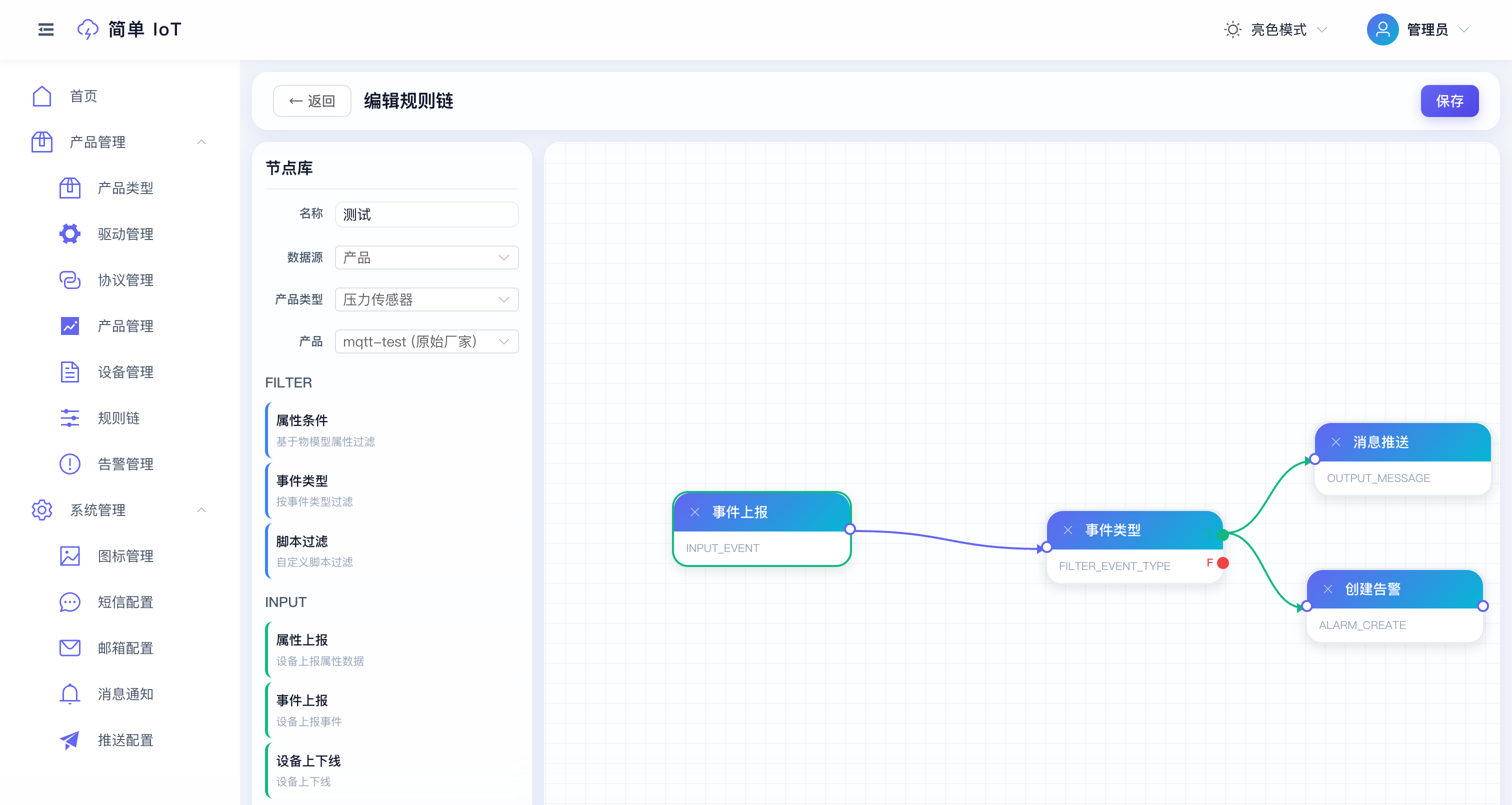
Done - your first rule is live the moment you save it.
7. Receive third-party data (optional)
If you have a third-party system that needs to push data via HTTP:
- Go to Webhook -> Webhook Ingress -> create a config, associate a device.
- Copy the auto-generated
token+secret. - Send signed POST requests - see Webhook Ingress for the full curl example.
Local development
If you want to hack on the code instead of running the prebuilt images, see the Architecture page for the dev-mode workflow (Maven + pnpm).