
Modbus TCP Driver
Simple IoT includes a built-in Modbus TCP polling driver that reads registers on a schedule and reports them as telemetry.
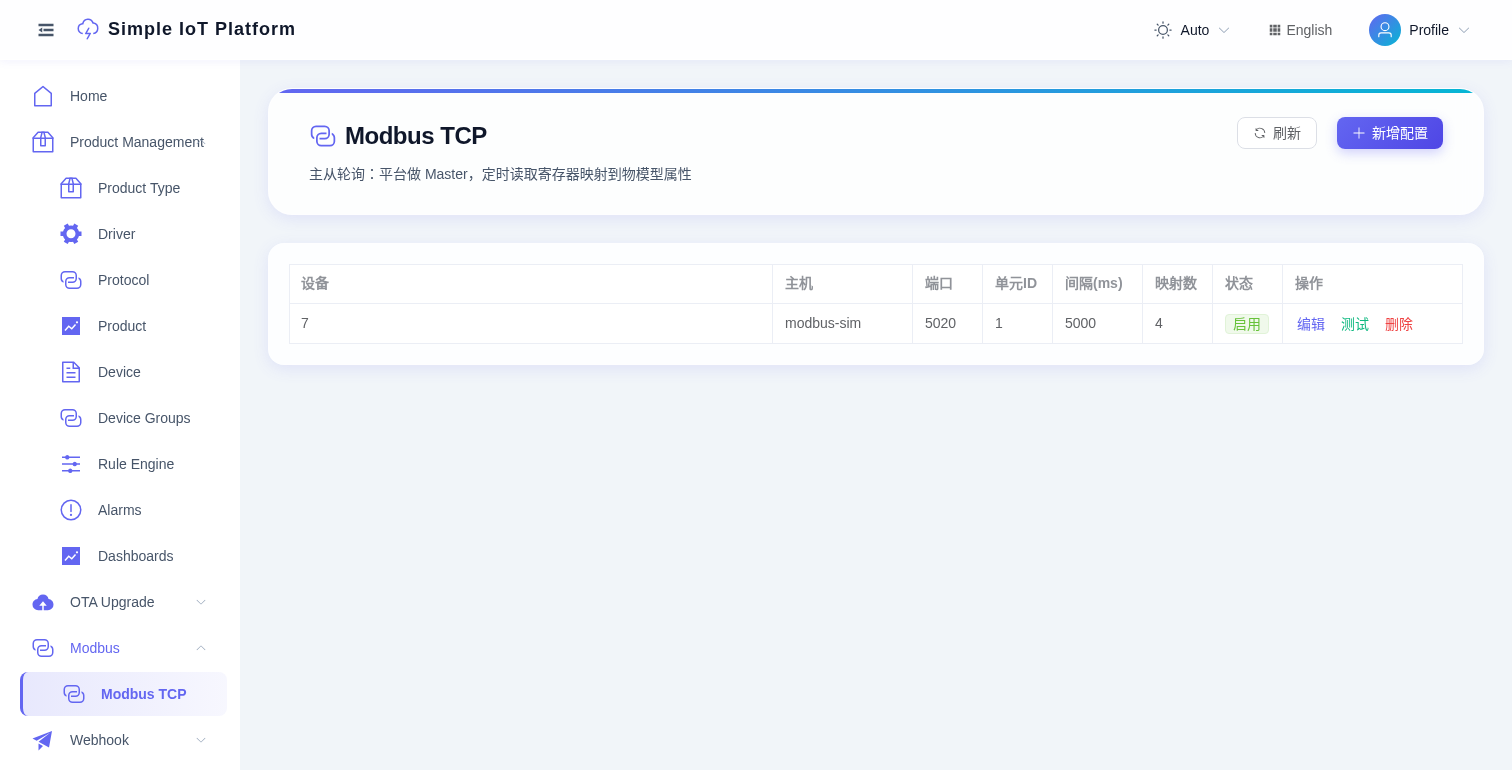
How it works
The platform acts as a Modbus Master, connecting to slave devices at a configured interval, reading register values, and mapping them to TSL model properties via the standard messageUp pipeline (InfluxDB persistence + rule chains + WebSocket push).
Create a config
- Go to Modbus -> Modbus TCP, click Add Config.
- Select the associated device (must already exist with TSL properties defined).
- Fill in slave connection info (Host, Port, Unit ID).
- Fill in the register mapping JSON (see below).
- Set the poll interval and save.
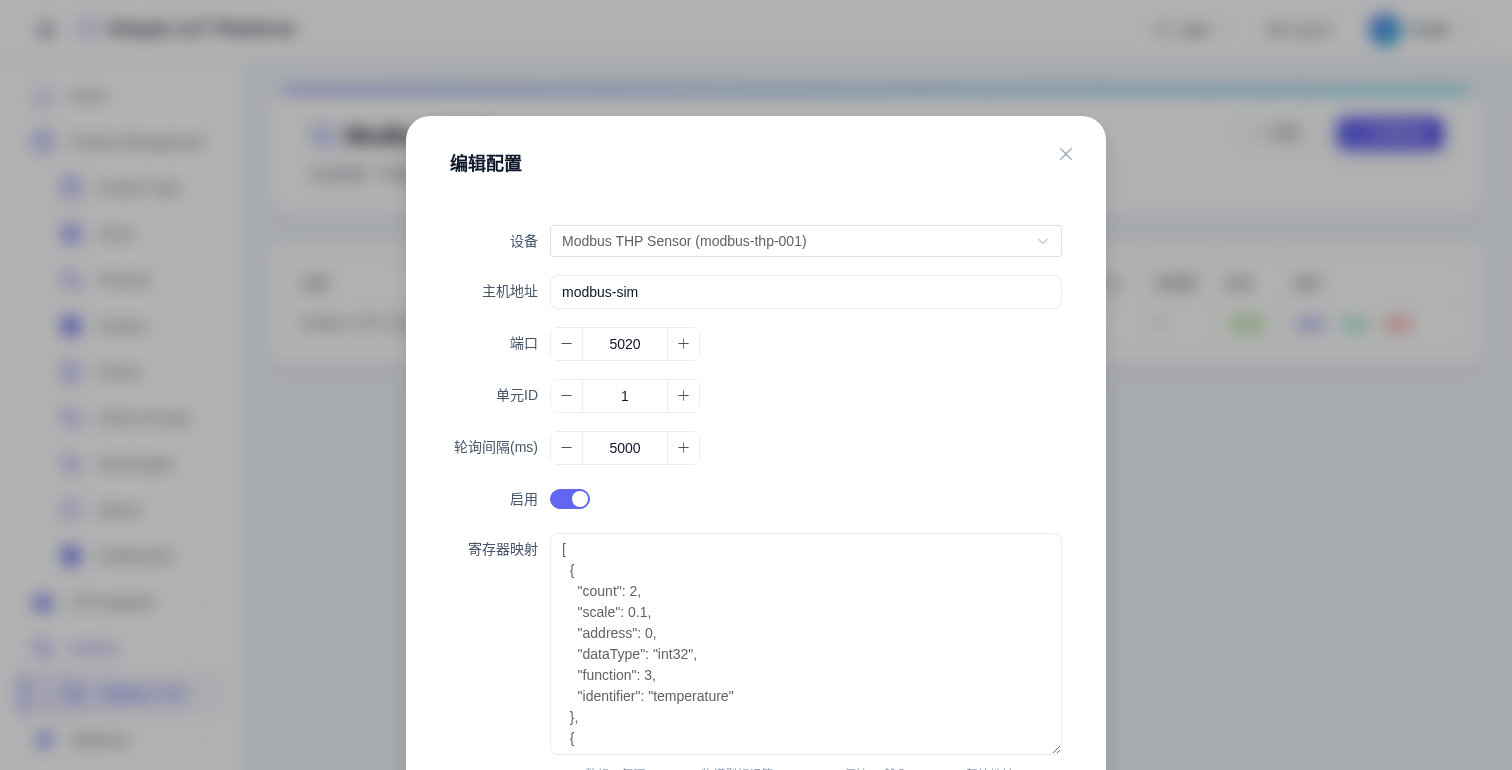
Configuration fields
| Field | Description | Example |
|---|---|---|
| Device | Associated platform device | Modbus THP Sensor |
| Host | Modbus slave IP | modbus-sim or 192.168.1.100 |
| Port | Modbus TCP port | 502 (standard), 5020 (demo) |
| Unit ID | Modbus slave address | 1 |
| Interval (ms) | How often to poll, default 5000 | 5000 |
| Register Map | JSON array defining which registers to read | see below |
| Enabled | Whether polling is active | true |
Register mapping explained
The register map is a JSON array. Each item defines "which register to read, how to read it, and which property it maps to":
[
  {
    "identifier": "temperature",
    "function": 3,
    "address": 0,
    "count": 2,
    "dataType": "DOUBLE",
    "scale": 0.01
  }
]
Field reference
| Field | Type | Required | Description |
|---|---|---|---|
identifier | string | yes | TSL property identifier - must match a property defined in the device's TSL model |
function | int | yes | Modbus function code (see table below) |
address | int | yes | Start register address (0-based) |
count | int | yes | Number of registers to read (1 register = 16 bit = 2 bytes) |
dataType | string | yes | Data type: BOOL / INT / FLOAT / DOUBLE |
scale | double | no | Scale factor, final = raw × scale, default 1.0 |
Function codes
| function | R/W | Register type | Range |
|---|---|---|---|
| 1 | read | Coil | 0 or 1 |
| 2 | read | Discrete Input | 0 or 1 |
| 3 | read | Holding Register | 0-65535 |
| 4 | read | Input Register | 0-65535 |
Data types and register counts
| dataType | Bytes | Registers(count) | Notes |
|---|---|---|---|
BOOL | 1 | 1 | Typically used with function=1 (coils) |
INT | 2-4 | 1-2 | 16-bit: count=1, 32-bit: count=2 |
FLOAT | 4 | 2 | IEEE 754 single precision |
DOUBLE | 8 | 4 | IEEE 754 double precision |
Scale factor
Many Modbus devices return integers that need multiplication to get the real physical value. E.g. a temperature sensor returns 2040 but the real temperature is 20.4°C, so scale = 0.01.
Note: when scale != 1.0, the system automatically promotes the data type to DOUBLE.
Full example
A temp/humidity/pressure sensor + switch, 4 properties:
[
  {
    "identifier": "temperature",
    "function": 3,
    "address": 0,
    "count": 2,
    "dataType": "DOUBLE",
    "scale": 0.01
  },
  {
    "identifier": "humidity",
    "function": 3,
    "address": 2,
    "count": 1,
    "dataType": "INT"
  },
  {
    "identifier": "pressure",
    "function": 3,
    "address": 4,
    "count": 2,
    "dataType": "DOUBLE",
    "scale": 0.1
  },
  {
    "identifier": "switch",
    "function": 1,
    "address": 100,
    "count": 1,
    "dataType": "BOOL"
  }
]
Meaning:
- Holding registers 0-1 -> temperature (DOUBLE, ÷100)
- Holding register 2 -> humidity (INT)
- Holding registers 4-5 -> pressure (DOUBLE, ÷10)
- Coil 100 -> switch (BOOL)
Demo simulator
Docker Compose includes a modbus-sim container with the above config pre-seeded:
| Item | Value |
|---|---|
| Container | modbus-sim |
| Port | 5020 (container port 502 mapped to 5020) |
| Unit ID | 1 |
| Device | modbus-thp-001 |
After deploy, you can see live data on the dashboard: temperature ≈ 20°C, humidity ≈ 60%, pressure ≈ 101kPa.
Testing & troubleshooting
- Test button: clicking "Test" in the config list triggers an immediate poll - check logs to verify connectivity.
- Device offline: check if Host/Port is reachable, Unit ID is correct.
- No data: check that
identifierexactly matches the TSL property ID. - Wrong values: check
scaleanddataType- 32-bit integers needcount=2. - Frequent timeouts: increase the poll interval or check network quality.